The amount of time I’ve spent working on themes the past few months got me motivated to start improving the workflow for building out color schemes from scratch, so I started working on a new plugin called Paletteer (GitHub - DavidSeptimus/paletteer-intellij-plugin).
Here’s what it does so far:
Enable lookup and modification of editor and text attribute colors by key:
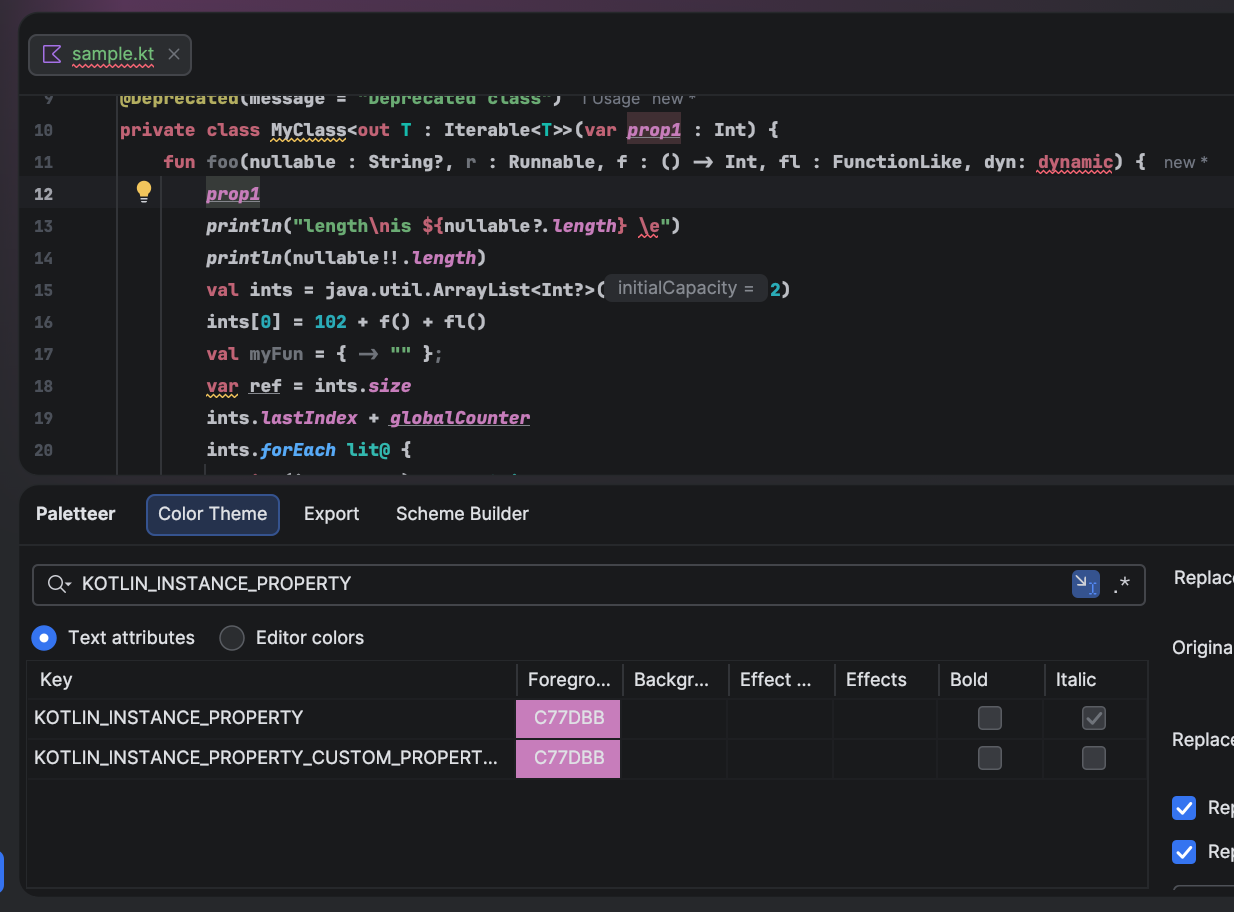
You can bind the filter term to the text attribute key under the editor caret, so clicking on different elements in the editor updates which text attribute details are shown in the table.
This makes it possible to highlight at a more granular level than if you were relying on attributes exposed in the color settings menu.
Bulk color replacements
You can swap once color with another across the entire color scheme. Just supply an original color, a replacement, and click the replace button to instantly replace the original color with a new one. You can limit the scope to editor colors or text attributes.

Find all highlights for the current position
Use a keyboard shortcut or context menu action to show all relevant highlights for at the caret’s current position. The implementation for retrieving highlight information is based on the recently released UI Theme Color Picker feature. There’s also a keyboard shortcut for adding the visible foreground color directly to your clipboard.

Color scheme export utilities
A slightly more advanced export panel for color scheme builders that retains your preferences and makes font settings optionally included.

That’s what I threw together yesterday, but there’s more to come.
