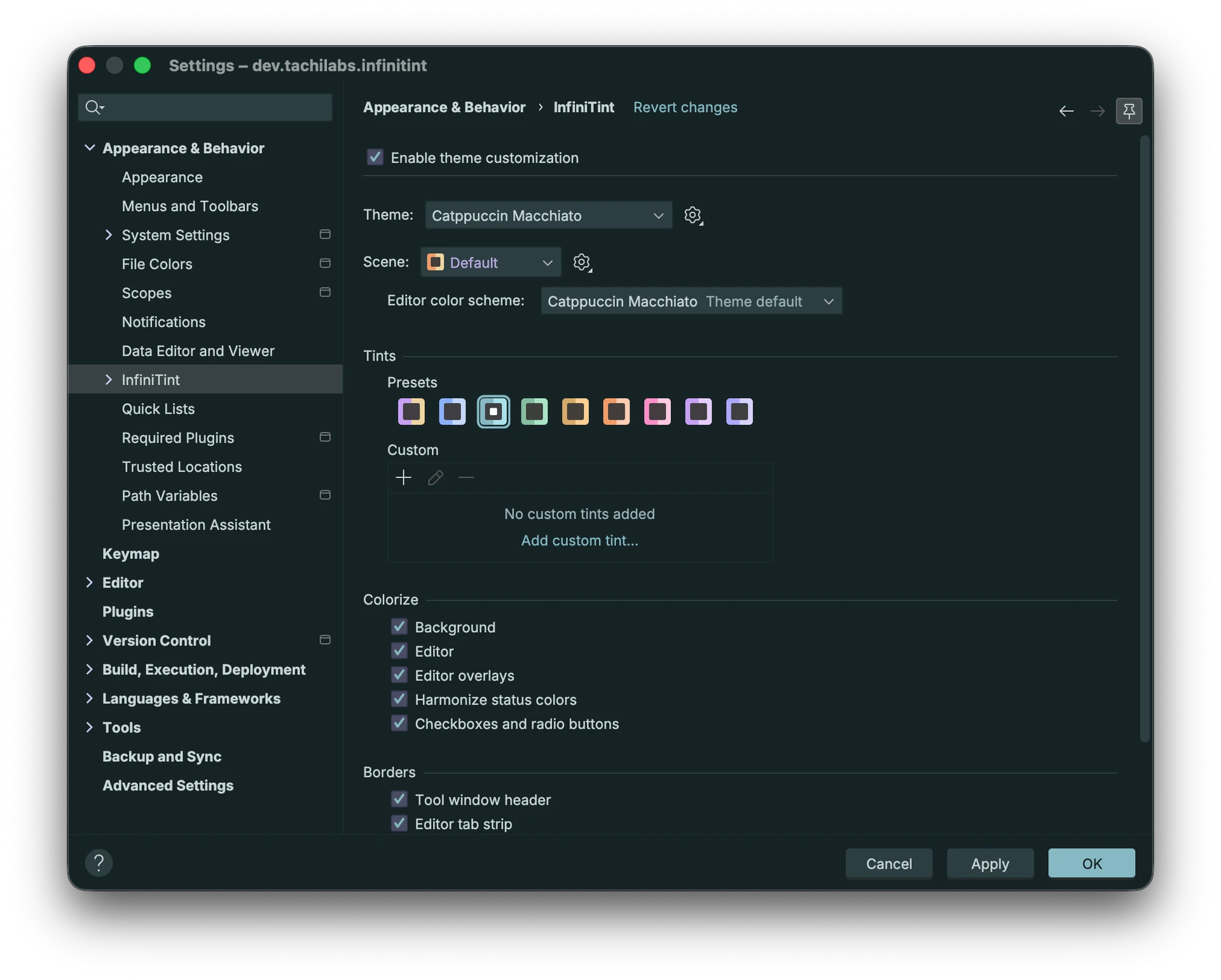
Building on the concepts I was exploring when I built my theming toolset last year ( Showcase (WIP): Paletteer Plugin -- Tools for color scheme builders ), I just released the theme customization tool I’ve always wanted!
InfiniTint Theme Tuner lets you recolor any theme to suit your personal taste, while preserving the authored structural hierarchy by default.


I wasn’t really focused on themes this year, but after JetBrains Air released with tintable light and dark themes, I got the urge to port that capability over to IntelliJ as part of the Armada theme plugin. Once I’d completed the port and had the run-time LAF override infrastructure in place, I realized that I was half-way to something a lot more special, so I kept going.
It starts by automatically mapping a theme’s run-time colors (including those inherited from the platform) to surface and accent palettes and then applies several layers of color transformations to output a cohesively recolored LAF and editor color scheme.
The editor color scheme’s structural elements get recolored, while the actual semantic text attributes retain their color for the most part (neutral text can pick up a slight cast by design).
The free version offers 8 preset tints on the IDE’s bundled themes and 3 for any custom theme in addition to some border visibility options. It’s roughly what JetBrains Air’s tinting delivers, but it works across more themes since it’s not hand-maintained.

With a paid license, users can build their own tints with the ability to transform the surface and accent palettes with hue and chroma sliders as well as by adjusting a palette’s tone curve to create a either punchier high contrast look or smoother/flatter look. Additionally, a user can adjust the IDE’s text contrast either by HCT tone increments or by setting a minimum contrast for different families of text.


Paid users can also have their preferred color scheme adapted to their active theme, so you can finally choose a color scheme independently of theme and have it look good without having to adjust it yourself.
The following example shows Armada Dark Islands in teal using the Nord color scheme from the Nord theme plugin.

The color scheme’s structural elements (e.g., background, line numbers, indent guides, tab colors) are all recolored to fit the LAF theme, while the semantic tokens retain their original color.
Finally, paid users can save their theme customizations as a scene, so they can either reapply them later verbatim or apply them automatically (on a schedule, rotation, or for a particular project).

The current implementation of palette detection works best with themes that have one each accent and surface families, but I’m already working on a next version of the engine that will offer better support more complex themes.
The main limitation I’ve hit is that, as far as I can tell, there’s no public API that allows for recoloring icons that a theme has provided its own SVGs for, so any NewUI or Islands based themes are stuck with their original checkbox or radio icons. If I’m wrong, someone please let me know.